Job IntakeFoundation repair
First estimate in minutes for foundation jobs
Cracks, settling, bowing walls, water and crawl spaces. Homeowners answer a few questions on your website, day or night, and add photos with something for scale. You get a job report by email.


On your website
What your customer sees
A homeowner taps "Get a free estimate" and the chat opens. It asks one question at a time and takes photos straight from the phone camera.
- Chat: Hi! I'm the automated intake assistant for Wilkeson Testudo Foundation Repair. I'll ask a few quick questions so the team has everything they need, then they'll get back to you. What do you need done?
- Customer: There is a crack in our basement wall, and the front door has started to stick.
- Chat: Got it. What's the ZIP code of the home?
- Customer: 98030
- Chat: Thanks, that's in the service area. Did this show up or change suddenly, such as a large new crack, the house shifting or a wall moving, or has it built up slowly over months or years?
- Customer: Slowly. We first saw the crack last spring, and it looks a little wider now.
- Chat: Thanks. If you can, add a photo of the crack with a coin or tape measure next to it for scale. You can add up to 5.
Foundation repair questions
The questions it asks for foundation jobs
Each trade gets its own question set. These are the ones for foundation work.
- 01
What they are seeing
Cracks, settling or sloping floors, sticking doors or windows, a bowing wall, water, the crawl space, or piers and leveling
- 02
Sudden or slow
A large new crack or a wall moving, or a change over months or years, so you know how fast to call back
- 03
The home
Basement, crawl space or slab, and roughly how old
- 04
Where and how big
Where the cracks are, and the length and width of the biggest one
- 05
Water and past work
Water getting in anywhere, and any foundation work done before
- 06
Timing
When they would like someone to take a look
- 07
Photos with scale
A coin or tape measure next to each crack; no crawling into a crawl space
- 08
ZIP code
Checked against your service area before anything else
Photos
Photos it asks for
The chat asks for each photo by name, with a short tip. Customers can add up to 5.
-
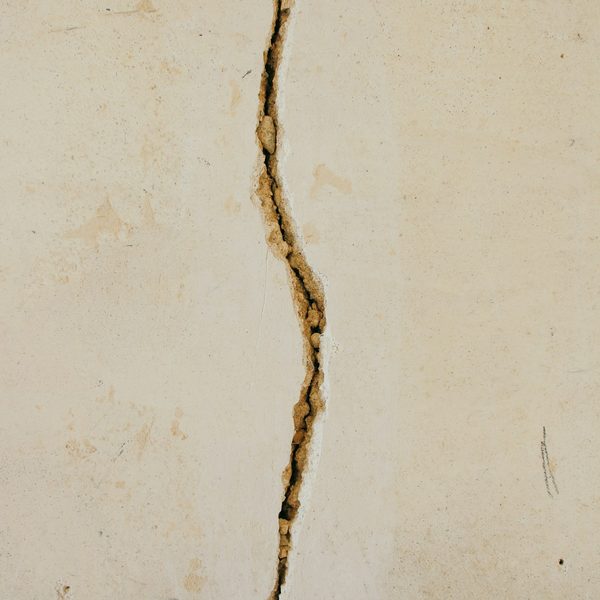
Each crack, with something for scale
A coin or tape measure right next to it
-
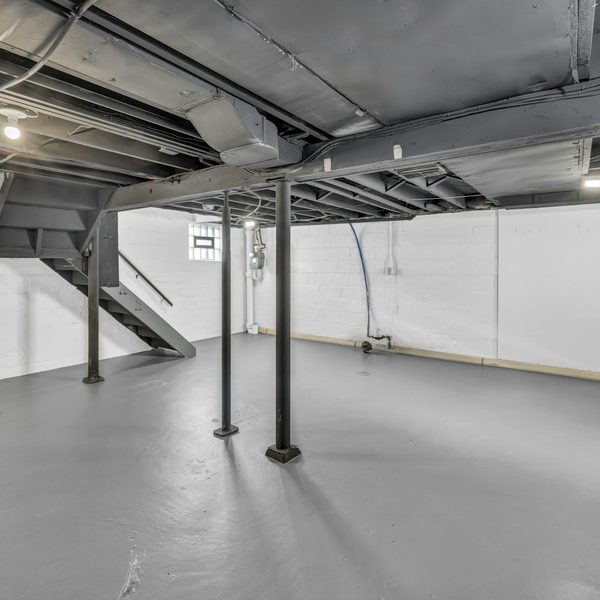
The wall or floor from a step back
So the whole wall, the corners and any bowing show
-
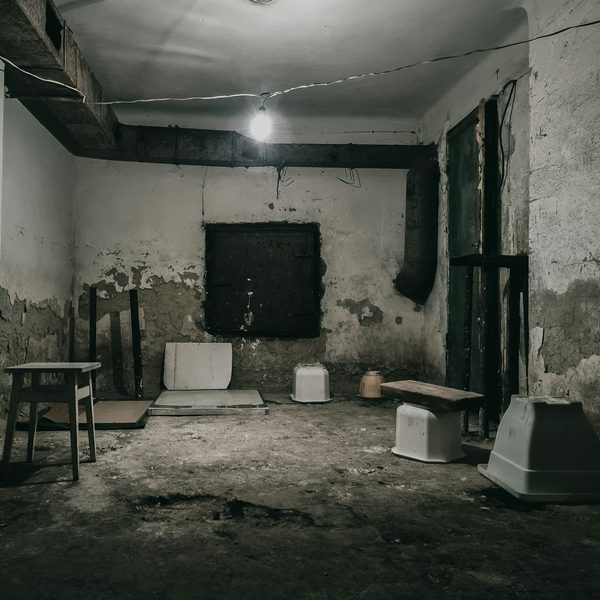
Water stains
Damp spots, peeling paint or white residue near the floor
-
Doors and windows that stick
The gap at the top corner of the frame


The job report
What you get
A job report by email for every request, with the answers, the photos and a suggested range from your price list. The customer sees no price until you approve it.
Crack in a poured basement wall, front door sticking, slow change
Urgency: Planned- Customer
- Jordan Pike
- Phone
- (555) 010-0129
- [email protected]
- ZIP
- 98030
Needs a site visit
Matched: Cracks in the foundation or walls Approve and send to customer The customer sees nothing until you approve.-
Urgency up top
The job in one line, marked Planned or Emergency.
Crack in a poured basement wall, front door sticking, slow change
Urgency: Planned -
Questions to ask on the call
Based on what the customer said and what is still missing.
Ask on the call
- Roughly how wide is the crack now, and was it marked last spring?
- Any water through the crack after heavy rain?
- Which doors stick, and since when?
- Basement finished on that wall, or open to see?
-
What the photos can't confirm
So you know what to check when you see the job.
What the photos can't confirm
- What is behind the finished walls
- Whether the crack is still moving
- Soil and drainage around the house
Urgent calls
Urgent calls
When a homeowner types words like these, the chat stops asking questions and points them to you right away.
- new crack appeared overnight
- house suddenly shifted
- wall is caving in
- bowing fast
- cracking sounds
- gas smell
Shows the call card
A call button with your number, and a line to call 911 if anyone is in danger.
Alerts you
An email marked Possible emergency, with the customer's number when they gave it.
- Chat: Hi! I'm the automated intake assistant for Wilkeson Testudo Foundation Repair. I'll ask a few quick questions so the team has everything they need, then they'll get back to you. What do you need done?
- Customer: We heard a loud crack and now there is a big new crack across the basement wall.
Please call the team
This could be urgent. If anyone is in danger, or you see fire or smoke or smell gas, call 911 now. If a wall or floor is moving, or you hear cracking or popping from the structure, get everyone out and stay out until it has been checked. Otherwise please call Wilkeson Testudo Foundation Repair right away at (555) 010-0174.
Call (555) 010-0174Wilkeson Testudo Foundation Repair: possible emergency
Possible emergency
Avery Lindqvist reported a loud crack and a large new crack in the basement wall at 9:05 PM.
They were told to call you at (555) 010-0174. Their number is (555) 010-0128.
Call Avery Lindqvist Open the job report Powered by GKTech SolutionsFAQ
Questions owners ask
Something else on your mind? Ask us when you try the demo.
Will it work with my website?
Most likely. Job Intake is added to your site as a short script tag or a "Get a free estimate" button, and the chat opens on top of your page. If your website lets you add a snippet of code, it can run there. If you are not sure, we check it with you.
Who sees the price?
You do, first. Foundation jobs in this example are set to need a site visit, so the job report says so and shows no range. Where your price list has a range, the customer sees it only after you tap Approve and send.
What if it's an emergency?
When a customer types words like new crack appeared overnight, wall is caving in or cracking sounds, the chat stops asking questions and shows a card with your phone number, a line to call 911 if anyone is in danger, and a line to get everyone out if a wall or floor is moving. You get an email marked Possible emergency, with their number when they gave it. A slow crack or a sticking door stays a planned job.
What does setup take?
We set it up with you: your service area, the questions for your trade, your price list and the inbox for job reports. On your website it is one script tag or button.
What happens to customer data?
Each business's requests are stored separately, and the details go only to that business. Photos are kept in private storage, and the link in each job report is signed and expires.
Live demo
Try it as a customer
Play the homeowner. The job report goes to your inbox, the way your customers' requests would reach you.
- 01Tell us where to send the report
- 02Answer as a homeowner on an example business site
- 03Open the job report in your email
Demo running
You're the homeowner now
Answer the way your customers would. When you send the request, the job report goes to your inbox.
- 01Describe a job, for example a crack in the basement wall or a door that sticks
- 02Add a photo or two from your phone
- 03Send it, then check your email
The demo is open
Check your inbox.
The job report for this demo is on its way to .
The request isn't sent yet.
The job report goes to after you tap Send to the team at the end of the chat.
You've run a few demos today. Come back tomorrow, or book a call and we'll walk you through it.
Example screens use fictional businesses and demo data.