Job IntakeLandscaping
First estimate in minutes for landscaping jobs
Homeowners answer a few questions on your website, day or night, and add photos of the yard and the way in. You get a job report by email.


On your website
What your customer sees
A homeowner taps "Get a free estimate" and the chat opens. It asks one question at a time and takes photos straight from the phone camera.
- Chat: Hi! I'm the automated intake assistant for Sauk Carex Landscaping. I'll ask a few quick questions so the team has everything they need, then they'll get back to you. What do you need done?
- Customer: We'd like a paver patio in the back yard where the lawn is patchy.
- Chat: Got it. What's the ZIP code where the work would be done?
- Customer: 98042
- Chat: Thanks, that's in the service area. About how big would the patio be, and is the yard flat or sloped?
- Customer: About 12 by 16 feet. Mostly flat, and there is a 4 foot gate on the side.
- Chat: That helps. If you can, add a photo of the back yard from a corner and one of the side gate. You can add up to 5.
Landscaping questions
The questions it asks for landscaping jobs
Each trade gets its own question set. These are the ones for landscaping work.
- 01
What needs doing
Lawn care, a cleanup, plantings, a patio or wall, sprinklers or pruning
- 02
Which part of the yard
Front, back or both, and roughly how big
- 03
One time or ongoing
A single job, or weekly, every two weeks or seasonal care
- 04
Slope and access
Flat or sloped, and how wide the gate or side path is for equipment
- 05
What is there now
For a patio, wall or sprinklers: the current setup and any design in mind
- 06
Timing
As soon as possible, this season, or just planning
- 07
Photos of the yard
The whole area from a corner, and the gate or side access
- 08
ZIP code
Checked against your service area before anything else
Photos
Photos it asks for
The chat asks for each photo by name, with a short tip. Customers can add up to 5.
-

The whole area from a corner
Front or back, wide enough to show the size
-
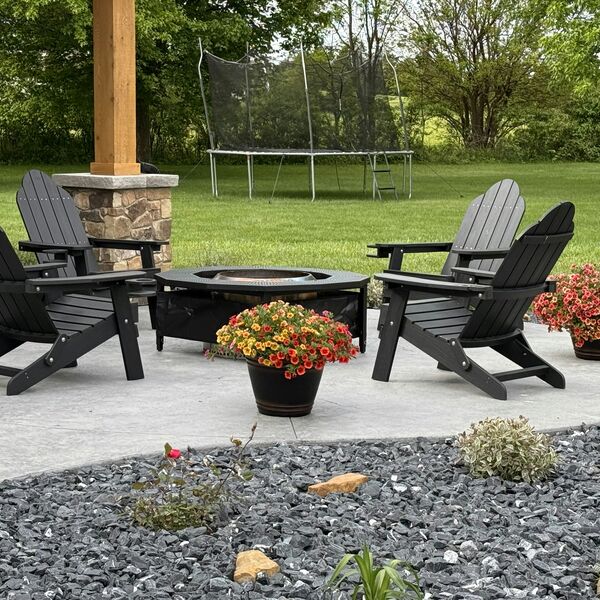
Where the patio or wall goes
The spot as it is now, with the house in view
-

Beds and plantings
The beds to clean up or replant
-
The gate or side access
So you know what equipment fits


The job report
What you get
A job report by email for every request, with the answers, the photos and a suggested range from your price list. The customer sees no price until you approve it.
Paver patio about 12 by 16 feet in a flat back yard
Urgency: Planned- Customer
- Jesse Moreno
- Phone
- (555) 010-0106
- [email protected]
- ZIP
- 98042
Needs a site visit
Matched: Patio, walkway or retaining wall Approve and send to customer The customer sees nothing until you approve.-
Urgency up top
The job in one line, marked Planned or Emergency.
Paver patio about 12 by 16 feet in a flat back yard
Urgency: Planned -
Questions to ask on the call
Based on what the customer said and what is still missing.
Ask on the call
- Paver style and color in mind, or open to samples?
- Any sprinkler lines or drainage in that part of the yard?
- Is the 4 foot gate wide enough for a compact loader?
- Should the patchy lawn around it be repaired too?
-
What the photos can't confirm
So you know what to check when you see the job.
What the photos can't confirm
- Soil and drainage under the lawn
- Buried sprinkler or utility lines
- Exact slope across the patio area
Urgent calls
Urgent calls
When a homeowner types words like these, the chat stops asking questions and points them to you right away.
- tree on the house
- tree fell on
- branch on the power line
- power line down
- downed wire
- gas smell
Shows the call card
A call button with your number, and a line to call 911 if anyone is in danger.
Alerts you
An email marked Possible emergency, with the customer's number when they gave it.
- Chat: Hi! I'm the automated intake assistant for Sauk Carex Landscaping. I'll ask a few quick questions so the team has everything they need, then they'll get back to you. What do you need done?
- Customer: A big branch came down in the storm and is resting on the power line over the driveway.
Please call the team
This could be urgent. If anyone is in danger, or you see fire or smoke or smell gas, call 911 now. Stay well away from any downed or sagging power line, and call the utility too. Otherwise please call Sauk Carex Landscaping right away at (555) 010-0110.
Call (555) 010-0110Sauk Carex Landscaping: possible emergency
Possible emergency
Casey Lindqvist reported a storm branch resting on the power line over the driveway at 7:15 AM.
They were told to call you at (555) 010-0110. Their number is (555) 010-0105.
Call Casey Lindqvist Open the job report Powered by GKTech SolutionsBy the numbers
By the numbers
-
$25.20
Average cost of one Google Local Services lead for landscaping in Q1 2026, from one agency’s campaigns.
Source: 99 Calls, LSA cost per lead by industry (Q1 2026, 3,367 leads)
-
More than 30%
Share of household water used outdoors, on average, and as much as 60% in dry regions.
-
162,500
Openings for grounds maintenance workers projected each year, on average, over the decade.
Source: U.S. BLS, Occupational Outlook Handbook: Grounds Maintenance Workers
FAQ
Questions owners ask
Something else on your mind? Ask us when you try the demo.
Will it work with my website?
Most likely. Job Intake is added to your site as a short script tag or a "Get a free estimate" button, and the chat opens on top of your page. If your website lets you add a snippet of code, it can run there. If you are not sure, we check it with you.
Who sees the price?
You do, first. The job report suggests a range from your own price list. The customer sees a price only after you tap Approve and send.
What if it's an emergency?
When a customer types words like tree on the house or branch on the power line, the chat stops asking questions and shows a card with your phone number, a line to call 911 if anyone is in danger, and a line to stay away from downed lines and call the utility. You get an email marked Possible emergency, with their number when they gave it.
What does setup take?
We set it up with you: your service area, the questions for your trade, your price list and the inbox for job reports. On your website it is one script tag or button.
What happens to customer data?
Each business's requests are stored separately, and the details go only to that business. Photos are kept in private storage, and the link in each job report is signed and expires.
Live demo
Try it as a customer
Play the homeowner. The job report goes to your inbox, the way your customers' requests would reach you.
- 01Tell us where to send the report
- 02Answer as a homeowner on an example business site
- 03Open the job report in your email
Demo running
You're the homeowner now
Answer the way your customers would. When you send the request, the job report goes to your inbox.
- 01Describe a job, for example a new paver patio or weekly mowing
- 02Add a photo or two from your phone
- 03Send it, then check your email
The demo is open
Check your inbox.
The job report for this demo is on its way to .
The request isn't sent yet.
The job report goes to after you tap Send to the team at the end of the chat.
You've run a few demos today. Come back tomorrow, or book a call and we'll walk you through it.
Example screens use fictional businesses and demo data.