Job IntakeRemodeling
First estimate in minutes for remodeling jobs
Kitchens, baths, flooring, siding, windows, entry doors and decks. Homeowners answer a few questions on your website, day or night, and add photos. You get a job report by email.


On your website
What your customer sees
A homeowner taps "Get a free estimate" and the chat opens. It asks one question at a time and takes photos straight from the phone camera.
- Chat: Hi! I'm the automated intake assistant for Tinkham Rubus Remodeling. I'll ask a few quick questions so the team has everything they need, then they'll get back to you. What do you need done?
- Customer: We want to redo our hall bathroom. The tub is original and the tile is cracked.
- Chat: Got it. What's the ZIP code where the work would be done?
- Customer: 98059
- Chat: Thanks, that's in the service area. Is this mostly a cosmetic update, like a new tub, tile and vanity, or would walls, plumbing or the layout change?
- Customer: Same layout. New tub, tile, vanity and toilet. The house was built in 1978.
- Chat: That helps. If you can, add a photo of the whole bathroom from the doorway and one of the tub and tile. You can add up to 5.
Remodeling questions
The questions it asks for remodeling jobs
Each trade gets its own question set. These are the ones for remodeling work.
- 01
What needs doing
A kitchen or bath, another room, flooring, siding, windows, a deck or a fence
- 02
The room or area and its size
Which room, or which side of the house, and about how big
- 03
Cosmetic or a layout change
New surfaces and fixtures, or moving walls, plumbing or the layout
- 04
Details for that kind of job
Flooring: square feet and the floor now. Siding, windows and entry doors: stories, material and how many. Decks and fences: size, height, and whether any boards or posts look damaged from the yard
- 05
Age of the home
A rough year is enough, for example built in the 1970s
- 06
Permit and HOA
Whether the homeowner knows of a permit, and any HOA or condo board approval to plan around
- 07
Timing
As soon as possible, in the next few months, or just planning
- 08
ZIP code
Checked against your service area before anything else
Photos
Photos it asks for
The chat asks for each photo by name, with a short tip. Customers can add up to 5.
-
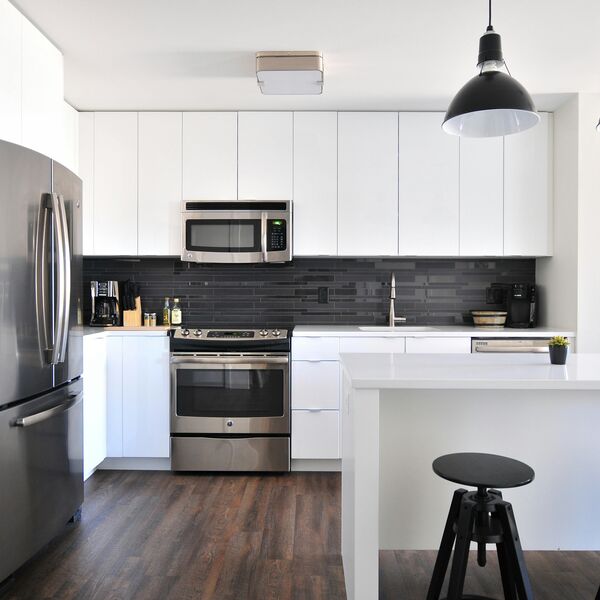
The whole room from the doorway
As it is now, with the area that will change in view
-

The floor now, up close
Plus where it meets another floor or the stairs
-
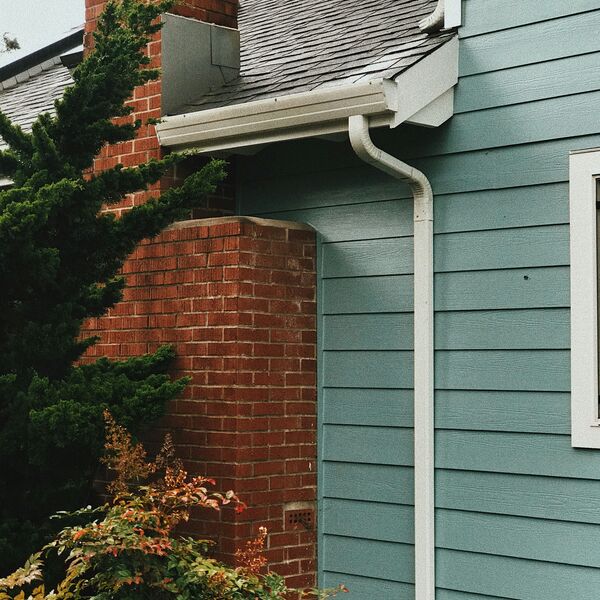
Each side of the house from the ground
Zoom in on damaged siding or windows instead of using a ladder
-
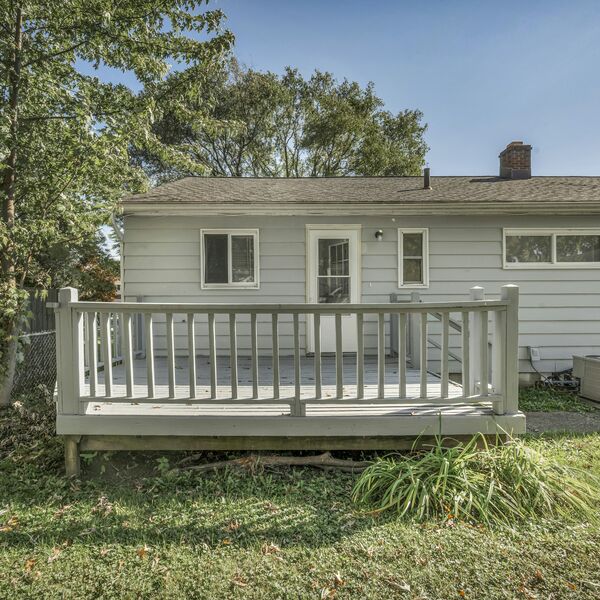
The deck or fence from the yard
Stairs, railings and any damaged boards, taken from the yard; stay off the deck if anything looks damaged


The job report
What you get
A job report by email for every request, with the answers, the photos and a suggested range from your price list. The customer sees no price until you approve it.
Hall bathroom remodel, same layout, home built in 1978
Urgency: Planned- Customer
- Drew Halvorsen
- Phone
- (555) 010-0192
- [email protected]
- ZIP
- 98059
$18,000 to $42,000
Matched: Bathroom remodel Approve and send to customer The customer sees nothing until you approve.-
Urgency up top
The job in one line, marked Planned or Emergency.
Hall bathroom remodel, same layout, home built in 1978
Urgency: Planned -
Questions to ask on the call
Based on what the customer said and what is still missing.
Ask on the call
- Tub to tub, or would they consider a walk-in shower?
- Have they picked tile, a vanity and fixtures yet?
- Is there a second bathroom to use during the work?
- Any permit or HOA timing to plan around?
-
What the photos can't confirm
So you know what to check when you see the job.
What the photos can't confirm
- Subfloor condition under the tub
- Plumbing and venting inside the walls
- Whether old finishes need lead-safe work
Urgent calls
Urgent calls
When a homeowner types words like these, the chat stops asking questions and points them to you right away.
- gas smell
- sparking
- sagging ceiling
- crack getting bigger
- water through the ceiling
- deck pulling away
- railing gave way
Shows the call card
A call button with your number, and a line to call 911 if anyone is in danger.
Alerts you
An email marked Possible emergency, with the customer's number when they gave it.
- Chat: Hi! I'm the automated intake assistant for Tinkham Rubus Remodeling. I'll ask a few quick questions so the team has everything they need, then they'll get back to you. What do you need done?
- Customer: The living room ceiling is sagging and water is pouring through it from the bathroom upstairs.
Please call the team
This could be urgent. If anyone is in danger, or you see fire or smoke or smell gas, call 911 now. Otherwise please call Tinkham Rubus Remodeling right away at (555) 010-0170.
Call (555) 010-0170Tinkham Rubus Remodeling: possible emergency
Possible emergency
Jamie Ortiz reported a sagging ceiling with water pouring through at 8:40 PM.
They were told to call you at (555) 010-0170. Their number is (555) 010-0184.
Call Jamie Ortiz Open the job report Powered by GKTech SolutionsBy the numbers
By the numbers
-
$50.17
Average cost of one Google Local Services lead for general contracting in Q1 2026, from one agency’s campaigns.
Source: 99 Calls, LSA cost per lead by industry (Q1 2026, 3,367 leads)
-
$517 billion
Estimated US spending on home improvements and repairs over the four quarters to mid-2026.
Source: Harvard Joint Center for Housing Studies, LIRA (July 2026), published by NARI
FAQ
Questions owners ask
Something else on your mind? Ask us when you try the demo.
Will it work with my website?
Most likely. Job Intake is added to your site as a short script tag or a "Get a free estimate" button, and the chat opens on top of your page. If your website lets you add a snippet of code, it can run there. If you are not sure, we check it with you.
Who sees the price?
You do, first. The job report suggests a range from your own price list. The customer sees a price only after you tap Approve and send.
What if it's an emergency?
When a customer types words like gas smell, sagging ceiling or deck pulling away, the chat stops asking questions and shows a card with your phone number and a line to call 911 if anyone is in danger. You get an email marked Possible emergency, with their number when they gave it.
What does setup take?
We set it up with you: your service area, the questions for your trade, your price list and the inbox for job reports. On your website it is one script tag or button.
What happens to customer data?
Each business's requests are stored separately, and the details go only to that business. Photos are kept in private storage, and the link in each job report is signed and expires.
Live demo
Try it as a customer
Play the homeowner. The job report goes to your inbox, the way your customers' requests would reach you.
- 01Tell us where to send the report
- 02Answer as a homeowner on an example business site
- 03Open the job report in your email
Demo running
You're the homeowner now
Answer the way your customers would. When you send the request, the job report goes to your inbox.
- 01Describe a job, for example a bathroom remodel, new floors or a deck
- 02Add a photo or two from your phone
- 03Send it, then check your email
The demo is open
Check your inbox.
The job report for this demo is on its way to .
The request isn't sent yet.
The job report goes to after you tap Send to the team at the end of the chat.
You've run a few demos today. Come back tomorrow, or book a call and we'll walk you through it.
Example screens use fictional businesses and demo data.