Job IntakeRoofing
First estimate in minutes for roofing jobs
Homeowners answer a few questions on your website, day or night, and add photos of the roof from the ground. You get a job report by email.


On your website
What your customer sees
A homeowner taps "Get a free estimate" and the chat opens. It asks one question at a time and takes photos straight from the phone camera.
- Chat: Hi! I'm the automated intake assistant for Dunnock Hill Roofing. I'll ask a few quick questions so the team has everything they need, then they'll get back to you. What do you need done?
- Customer: After the windstorm last week there's a brown stain on our bedroom ceiling, and a few shingles are in the yard.
- Chat: Got it. What's the ZIP code where the work would be done?
- Customer: 98208
- Chat: Thanks, that's in the service area. Is the stain dry right now, or is it wet or dripping?
- Customer: Dry right now, but it got bigger after the last rain.
- Chat: That helps. If you can, add a photo of the roof from the yard and one of the ceiling stain. Please take them from the ground or inside and stay off the roof. You can add up to 5.
Roofing questions
The questions it asks for roofing jobs
Each trade gets its own question set. These are the ones for roofing work.
- 01
What needs doing
A leak, storm or wind damage, a new roof, moss or gutters
- 02
Is water coming in right now
Dripping inside means a fast callback and maybe a tarp
- 03
Storm or wind damage
Whether a storm caused it and on what date, for the report and any claim
- 04
Insurance claim
Filed, planning to file, or paying directly, so you can plan the paperwork
- 05
Roof age and material
Asphalt shingle, metal, cedar shake or flat, and a rough year it went on
- 06
Stories and pitch
One, two or three stories, and whether the roof looks flat, gentle or steep
- 07
Timing
As soon as possible, before the rainy season, or just planning
- 08
ZIP code
Checked against your service area before anything else
Photos
Photos it asks for
The chat asks for each photo by name, with a short tip. Customers can add up to 5.
-

The roof from the ground
Stand back far enough to fit the whole side in one shot
-
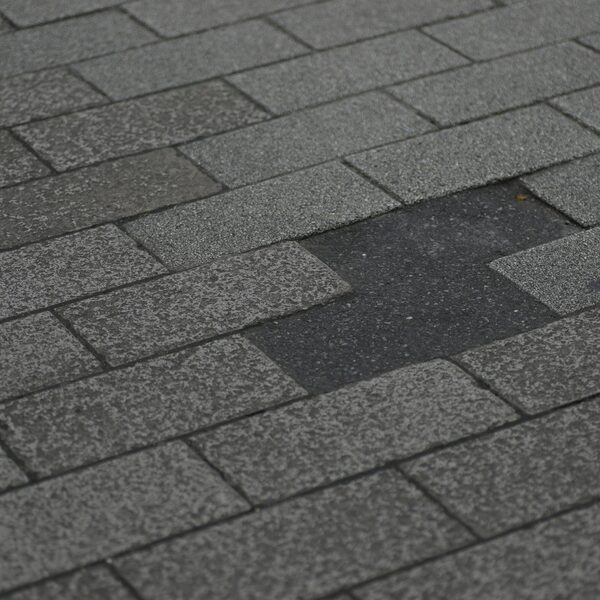
The damaged area, zoomed in
From the yard or a window; zoom in instead of climbing
-
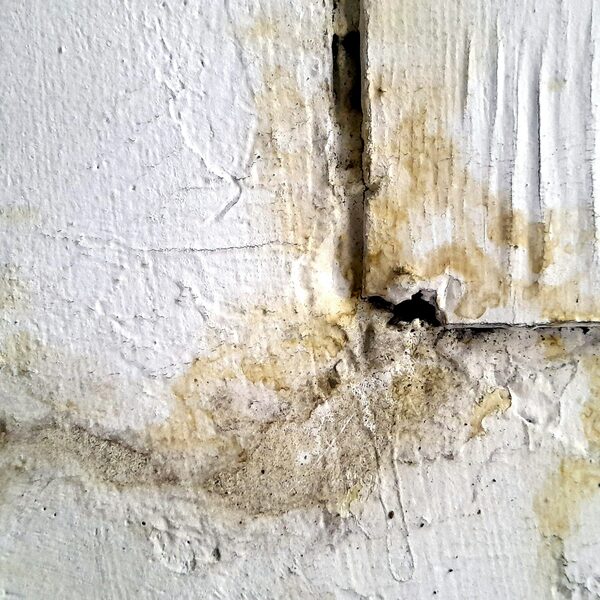
Ceiling or wall stains inside
The stain plus the room around it
-
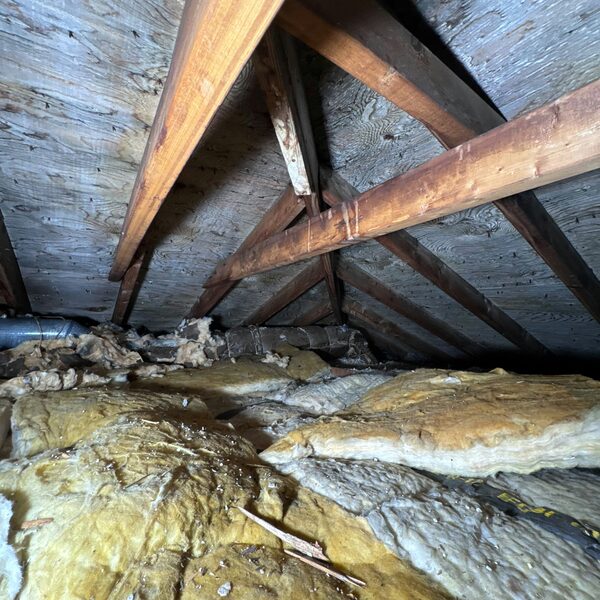
The attic, if it’s easy to reach
Stains or daylight on the underside of the roof, from the hatch


The job report
What you get
A job report by email for every request, with the answers, the photos and a suggested range from your price list. The customer sees no price until you approve it.
Wind damage with missing shingles and a spreading ceiling stain
Urgency: Soon- Customer
- Sam Okafor
- Phone
- (555) 010-0149
- [email protected]
- ZIP
- 98208
Needs a site visit
Matched: Storm or wind damage Approve and send to customer The customer sees nothing until you approve.-
Urgency up top
The job in one line, marked Planned or Emergency.
Wind damage with missing shingles and a spreading ceiling stain
Urgency: Soon -
Questions to ask on the call
Based on what the customer said and what is still missing.
Ask on the call
- Have they opened an insurance claim, and is there an adjuster date?
- About how old is the roof, and has it been repaired before?
- Is the attic reachable to check the decking?
- Do they want a temporary tarp before the next rain?
-
What the photos can't confirm
So you know what to check when you see the job.
What the photos can't confirm
- Decking condition under the shingles
- Whether the damage is limited to one slope
- Flashing and vent condition
Urgent calls
Urgent calls
When a homeowner types words like these, the chat stops asking questions and points them to you right away.
- active leak
- water coming in
- ceiling dripping
- ceiling sagging
- tree on the roof
- hole in the roof
Shows the call card
A call button with your number, and a line to call 911 if anyone is in danger.
Alerts you
An email marked Possible emergency, with the customer's number when they gave it.
- Chat: Hi! I'm the automated intake assistant for Dunnock Hill Roofing. I'll ask a few quick questions so the team has everything they need, then they'll get back to you. What do you need done?
- Customer: A tree branch came through the roof and water is coming in.
Please call the team
This could be urgent. If anyone is in danger, or you see fire or smoke or smell gas, call 911 now. Otherwise please call Dunnock Hill Roofing right away at (555) 010-0135.
Call (555) 010-0135Dunnock Hill Roofing: possible emergency
Possible emergency
Morgan Ellery reported a tree branch through the roof with water coming in at 10:20 PM.
They were told to call you at (555) 010-0135. Their number is (555) 010-0181.
Call Morgan Ellery Open the job report Powered by GKTech SolutionsBy the numbers
By the numbers
-
$65.80
Average cost of one Google Local Services lead for roofing in Q1 2026, from one agency’s campaigns.
Source: 99 Calls, LSA cost per lead by industry (Q1 2026, 3,367 leads)
-
70 to 90%
Share of insured home storm losses that come from roof damage.
FAQ
Questions owners ask
Something else on your mind? Ask us when you try the demo.
Will it work with my website?
Most likely. Job Intake is added to your site as a short script tag or a "Get a free estimate" button, and the chat opens on top of your page. If your website lets you add a snippet of code, it can run there. If you are not sure, we check it with you.
Who sees the price?
You do, first. The job report suggests a range from your own price list. The customer sees a price only after you tap Approve and send.
What if it's an emergency?
When a customer types words like water coming in, ceiling dripping or tree on the roof, the chat stops asking questions and shows a card with your phone number and a line to call 911 if anyone is in danger. You get an email marked Possible emergency, with their number when they gave it.
What does setup take?
We set it up with you: your service area, the questions for your trade, your price list and the inbox for job reports. On your website it is one script tag or button.
What happens to customer data?
Each business's requests are stored separately, and the details go only to that business. Photos are kept in private storage, and the link in each job report is signed and expires.
Live demo
Try it as a customer
Play the homeowner. The job report goes to your inbox, the way your customers' requests would reach you.
- 01Tell us where to send the report
- 02Answer as a homeowner on an example business site
- 03Open the job report in your email
Demo running
You're the homeowner now
Answer the way your customers would. When you send the request, the job report goes to your inbox.
- 01Describe a job, for example an EV charger or a panel upgrade
- 02Add a photo or two from your phone
- 03Send it, then check your email
The demo is open
Check your inbox.
The job report for this demo is on its way to .
The request isn't sent yet.
The job report goes to after you tap Send to the team at the end of the chat.
You've run a few demos today. Come back tomorrow, or book a call and we'll walk you through it.
Example screens use fictional businesses and demo data.